
UAB Online Banking
UAB Online Banking
First Customer has to install the UAB Online Banking.
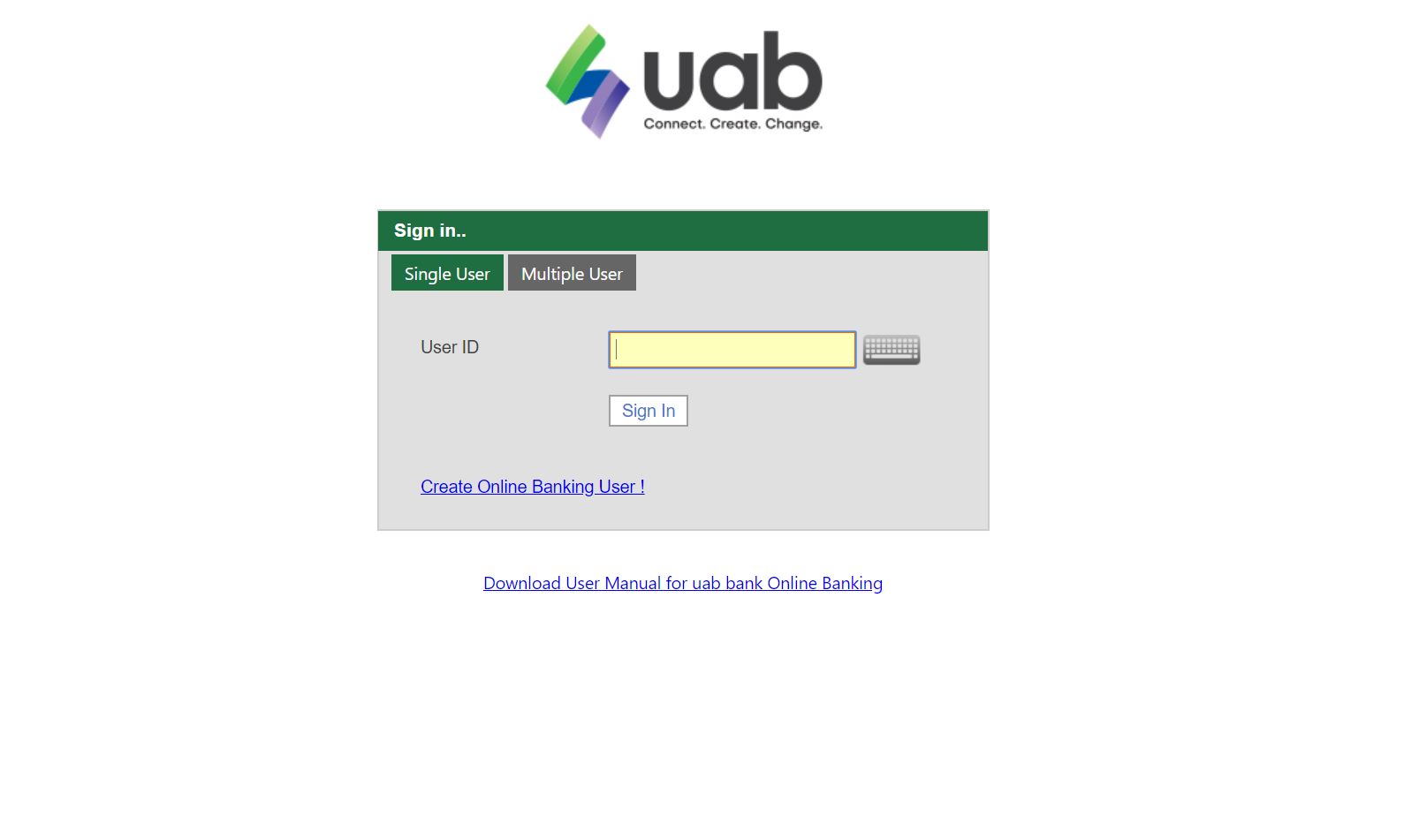 1. Please insert "User ID" and Click "Sign In".
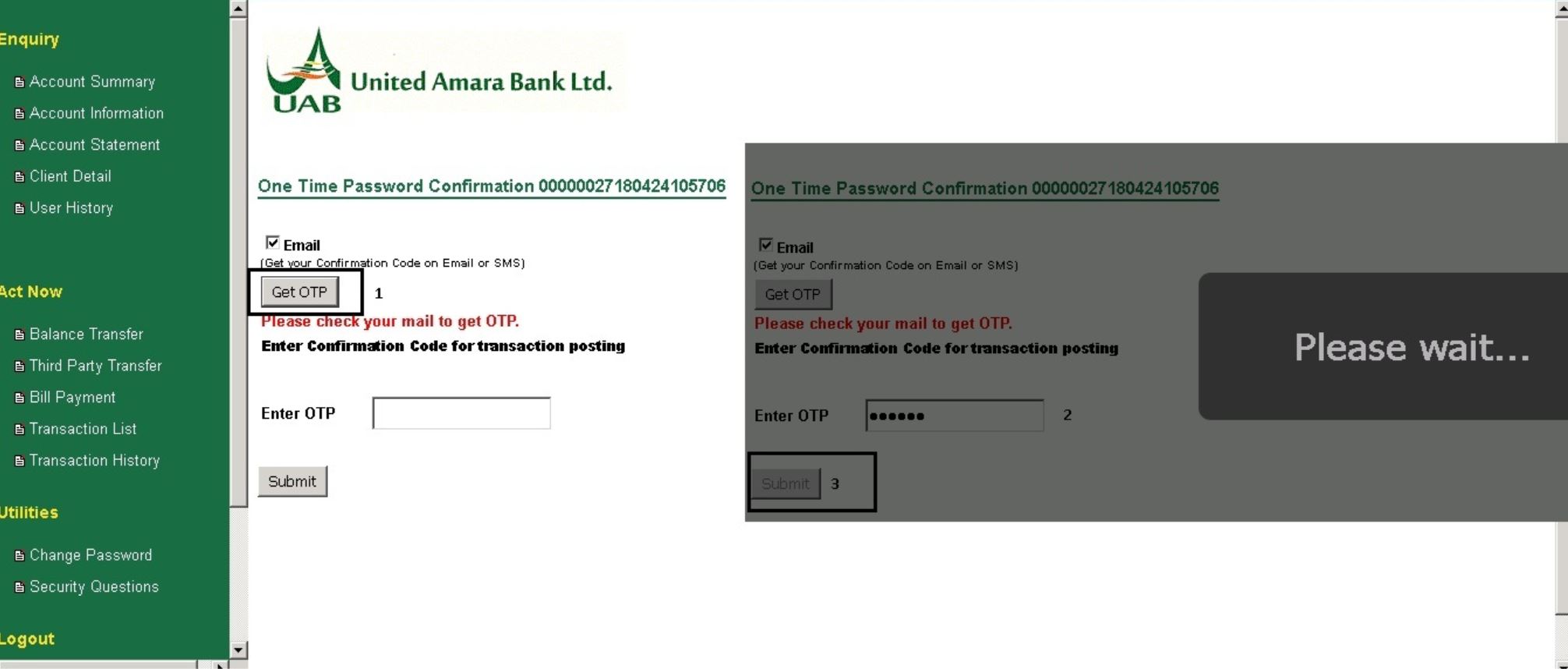 2. Please click "GET OTP", you will get "OTP Number". After that Please insert it at "Enter OTP"
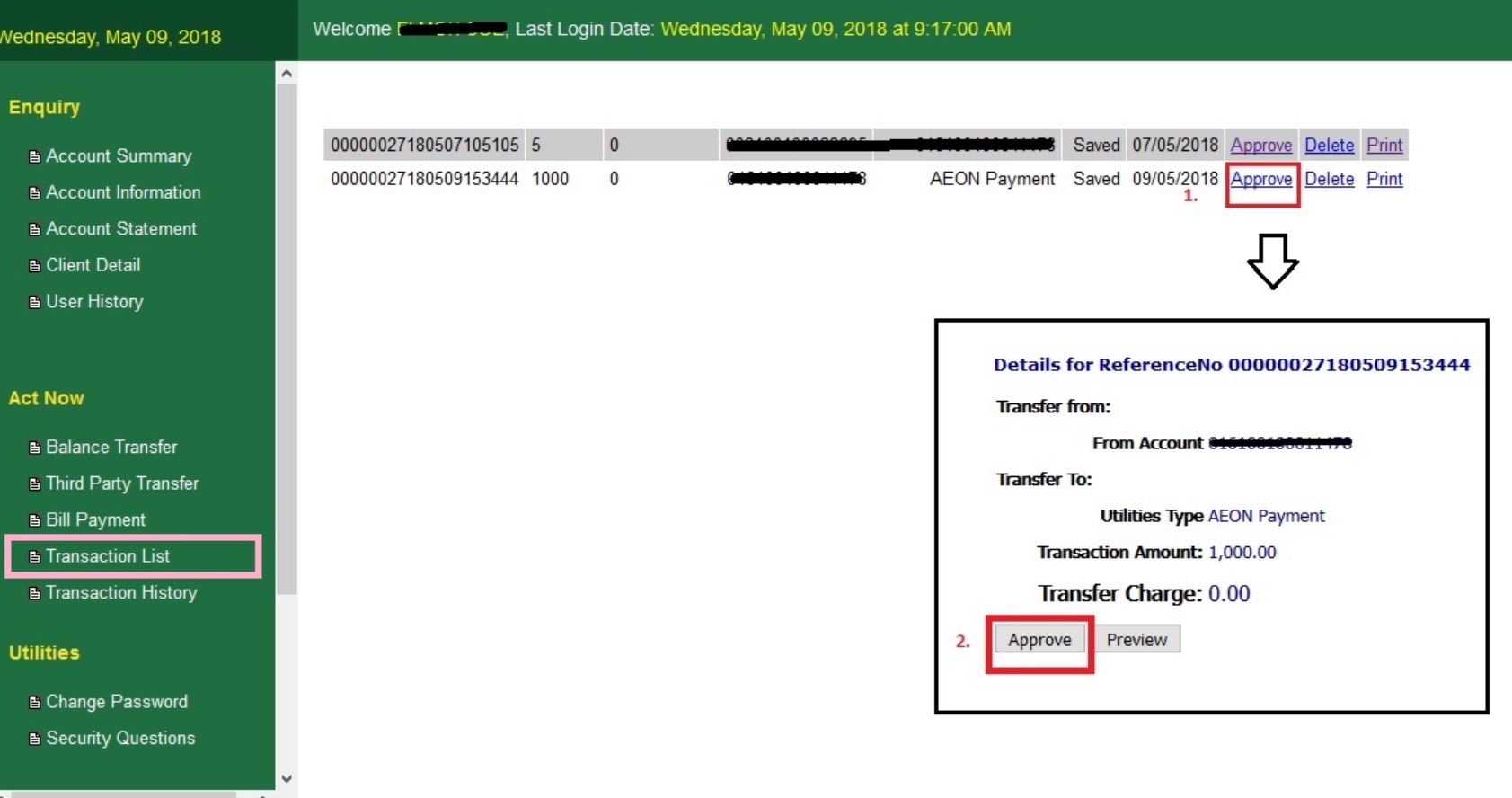 3. In Translation List, Please find AEON Payment and click "Approve" Button.
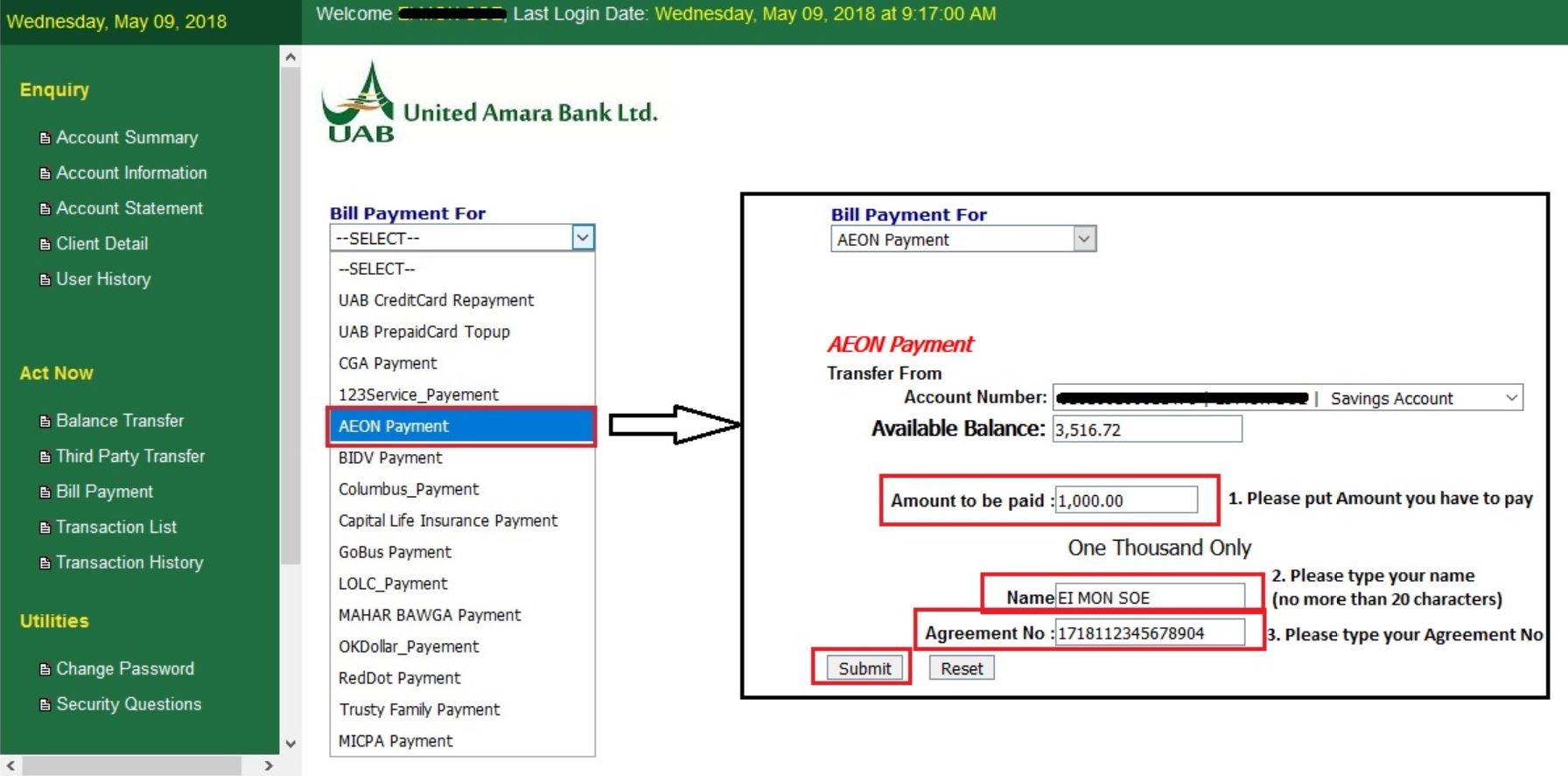 4. In Bill Payment, Select "AEON Payment" and insert require information and then click "Submit".
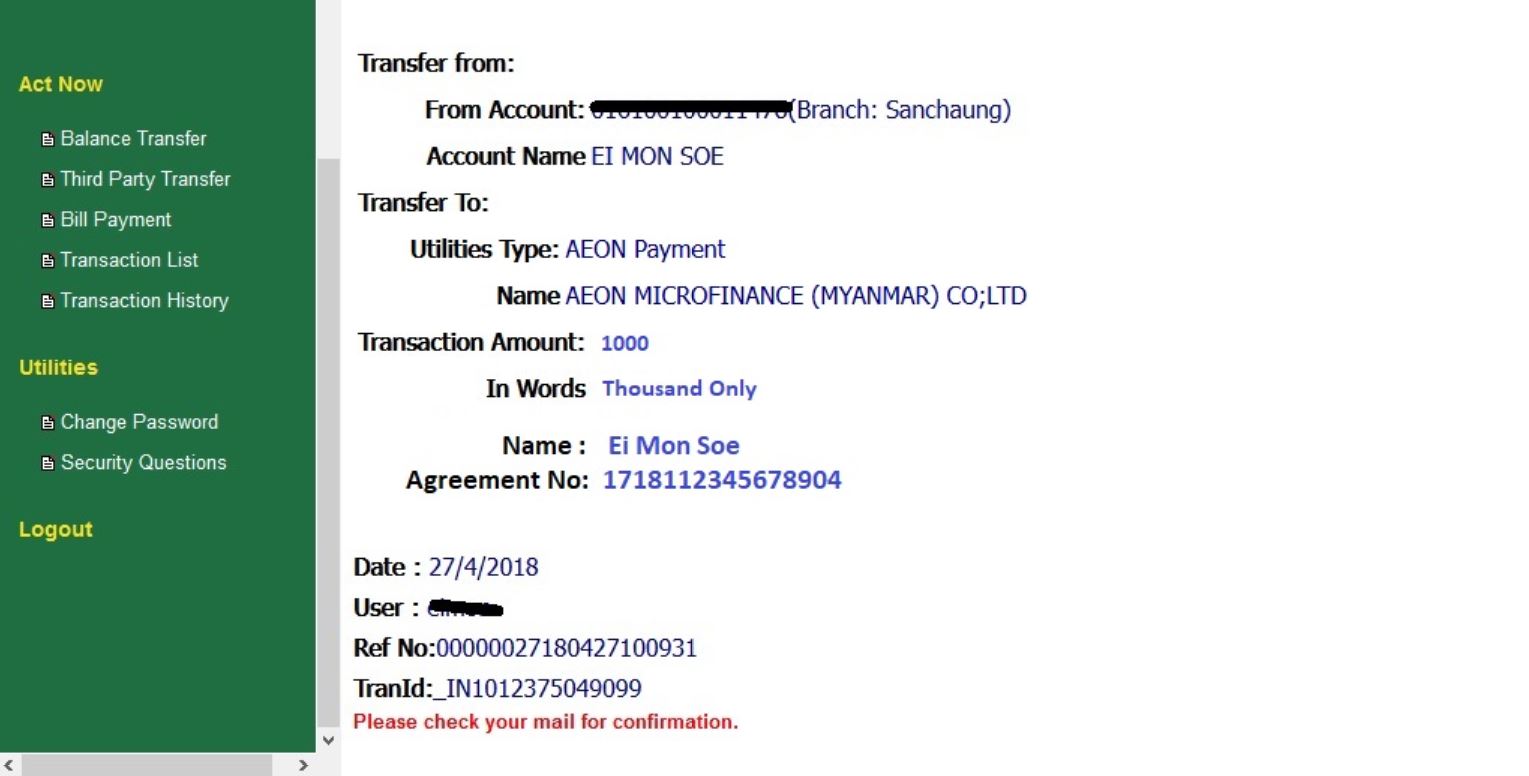 5. Please check AEON Repayment was correct and finished.