
AYA PAY Mobile Banking Service
AYA PAY Mobile Banking Service
First Customer has to install the AYA PAY Mobile Banking Service.
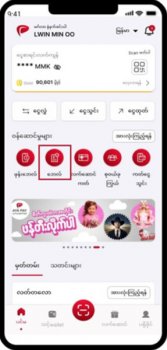 1. Open AYA Pay app and select the ‘Pay Bill’ icon.
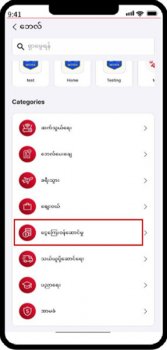 2. Select the respective category, which is ‘Financial Service’ in this case.
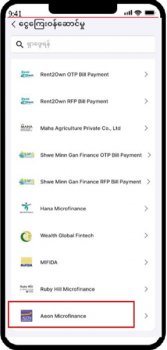 3. Select the respective category, which is ‘Aeon Microfinance’ in this case.
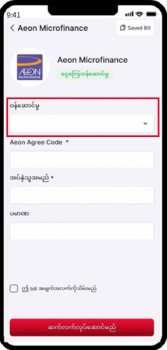 4. Choose and select ‘Aeon Cash Collection’.
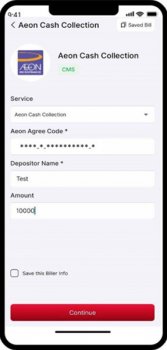 5. Fill the required information and click ‘Continue’.
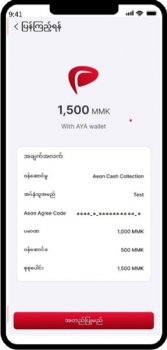 6. Check the required information and click ‘Confirm’.
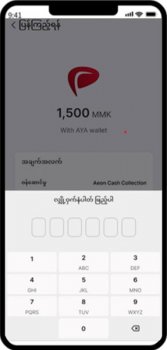 7. Check the information click ‘Confirm and Fill in 6-digit Pin number for verification.
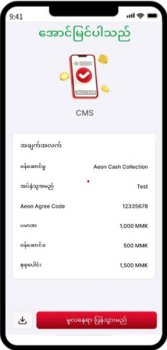 8. Transaction is successfully complete.